
PrintIntegrator for Odoo
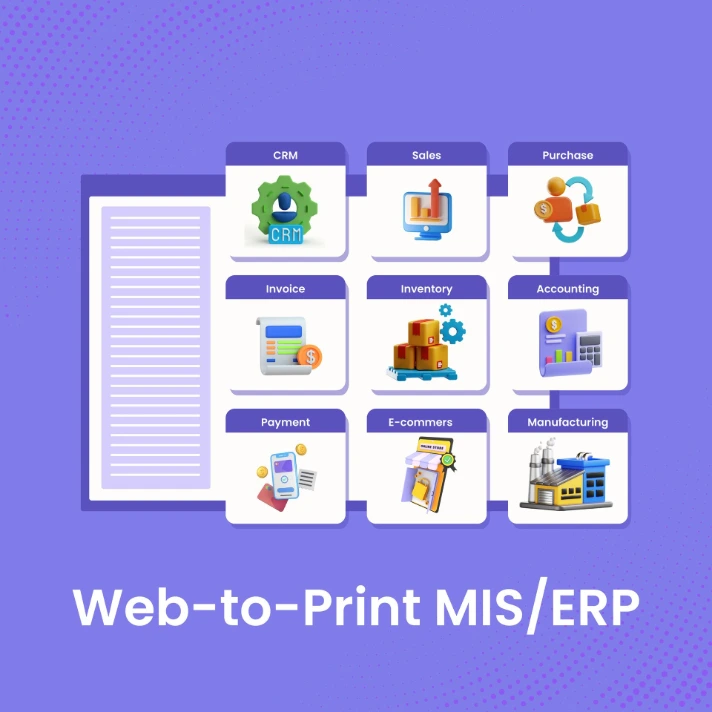
ERP + storefront + designer in one platform.
Bundled with an Odoo eCommerce setup — orders, jobs, inventory, and invoicing all live in the same system as the storefront and design studio.
$19/month · Unlimited orders · Full Odoo ERP included
See it work
Two minutes, end to end.
A complete personalization run — admin setup, customer designing in the browser, print-ready file landing on the sales order.
Step by step
The complete flow
10 screens from admin set-up through the customer's design experience to the print-ready file on the order.
- 01Admin
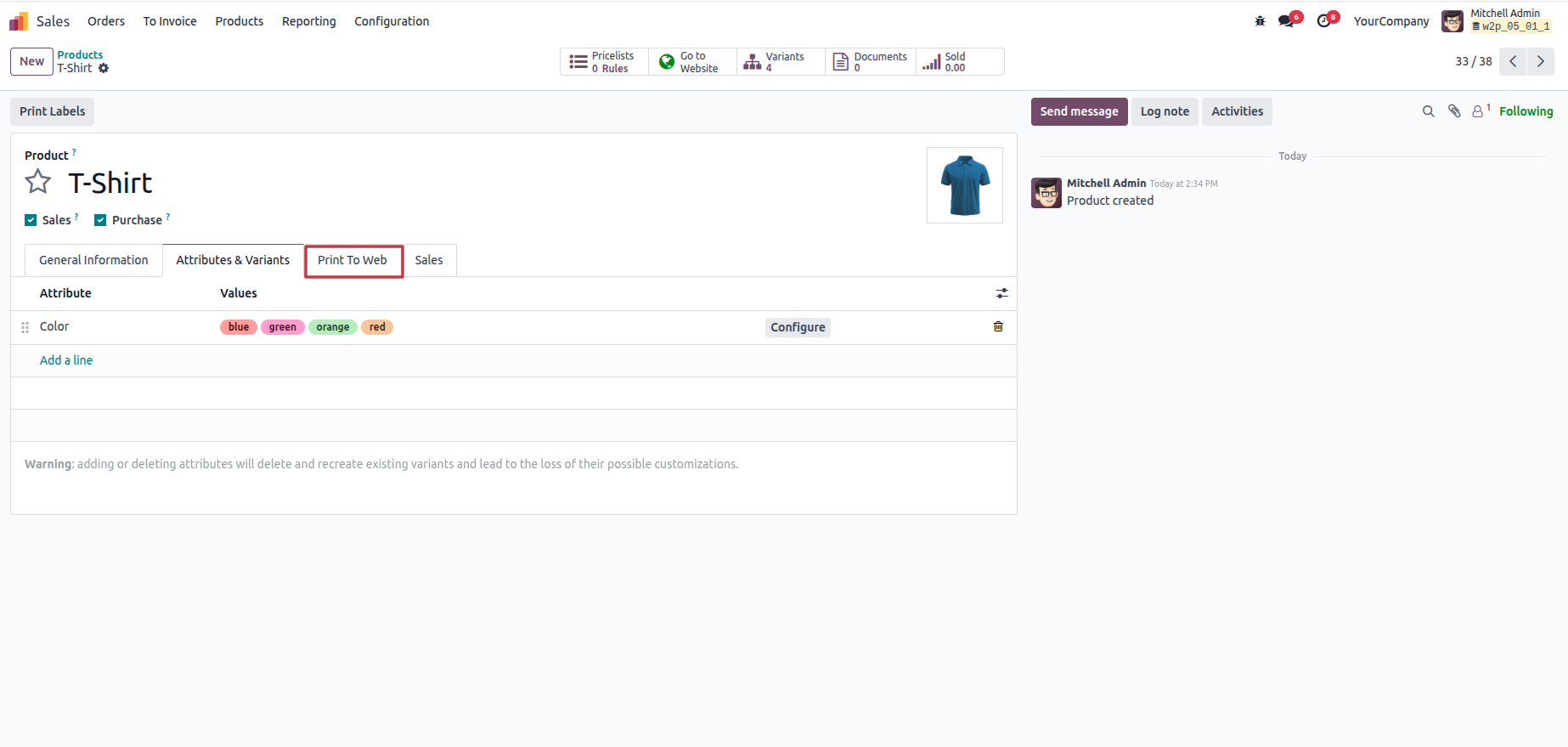
Enable personalization on a product
Open a product in your admin. Toggle "Print To Web" on. Save. The product page on the storefront immediately offers customization.
- 02Admin
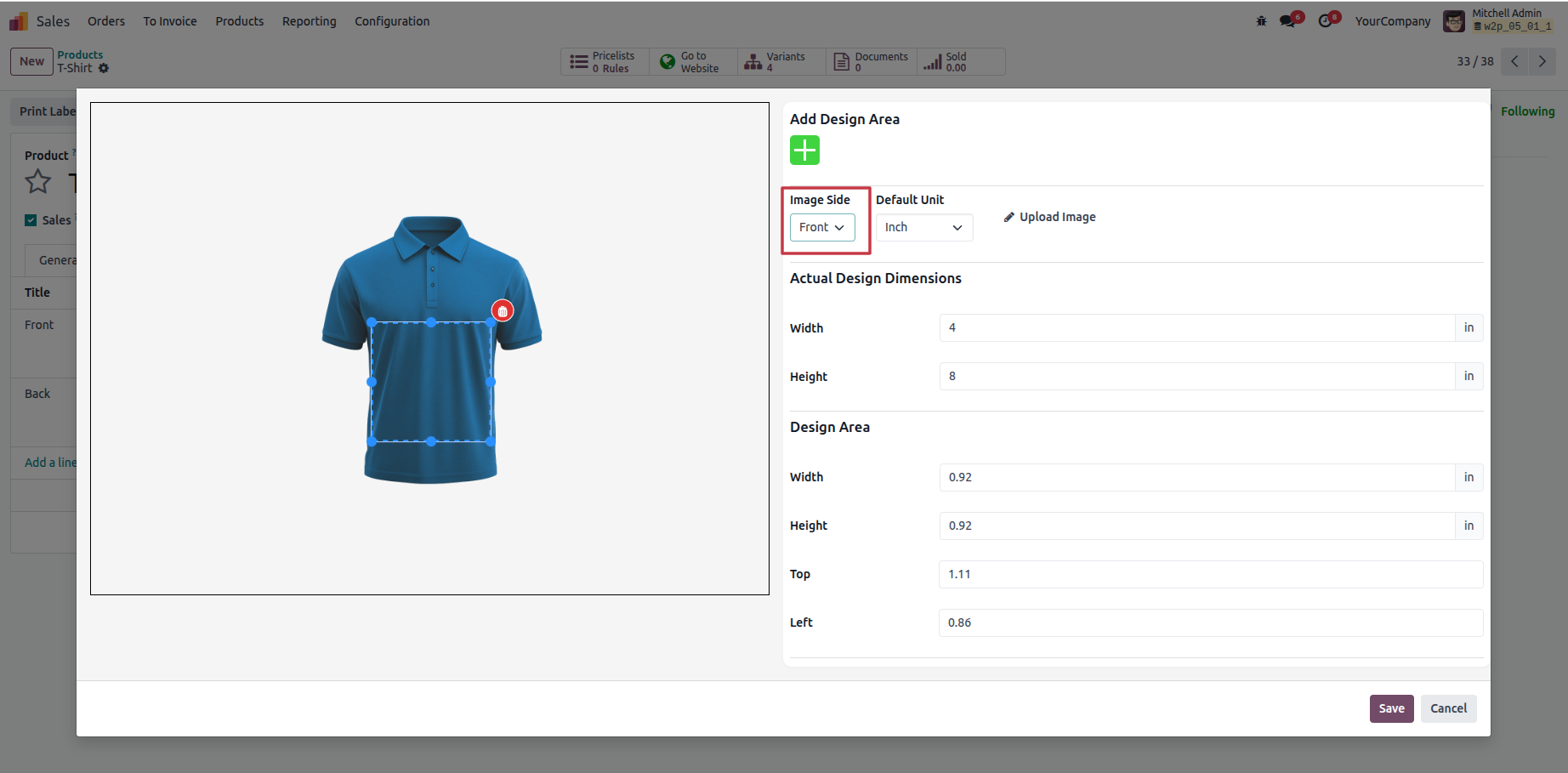
Define the printable area
Draw the print zone directly on the product image. Set side (front/back), dimensions, and resolution. Save once per product family.
- 03Admin
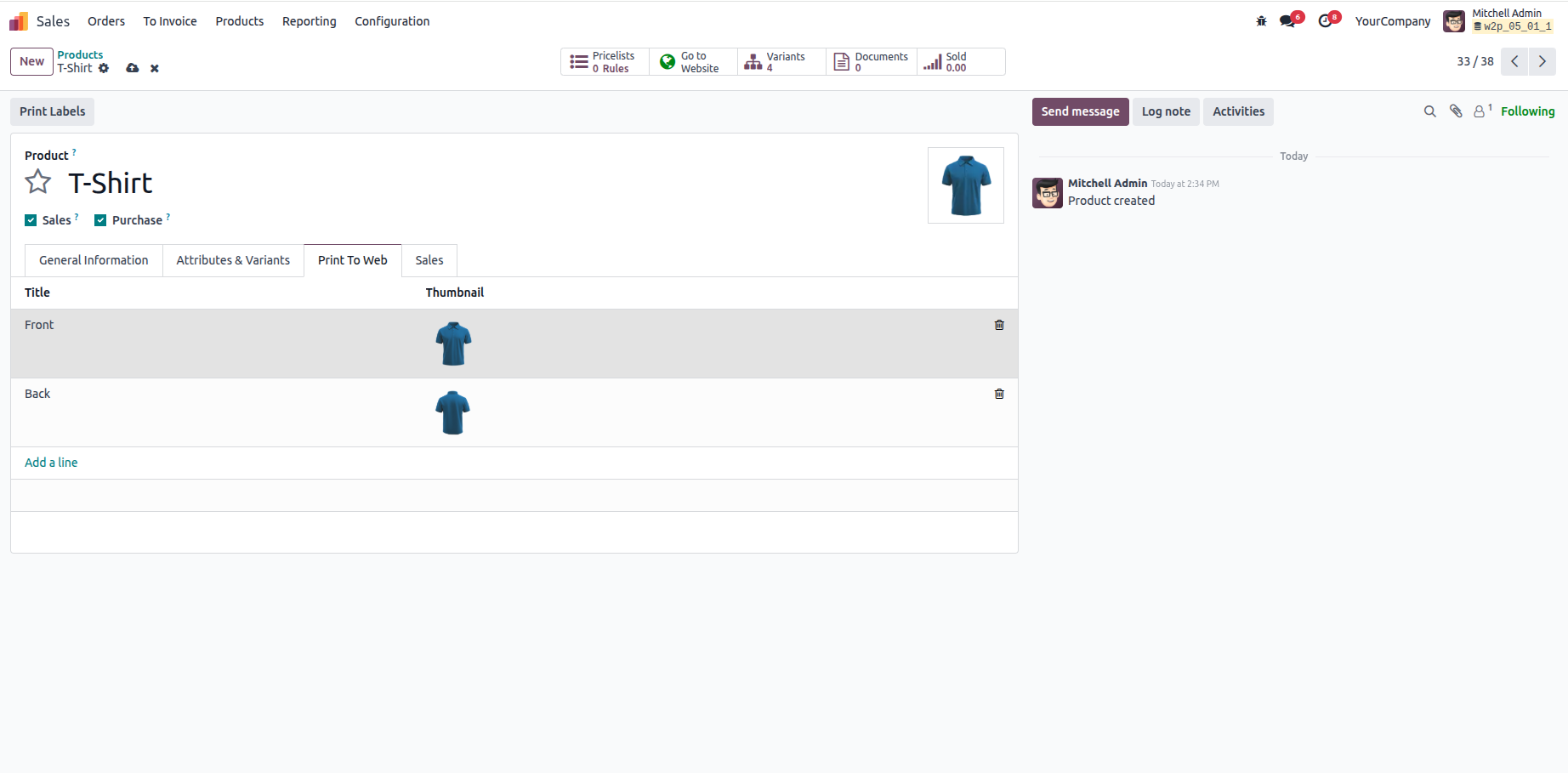
Upload a starter template (optional)
A default template lifts customer conversion 2-3x versus blank canvas. Upload SVG/PNG/JPG and lock the regions you want untouched.
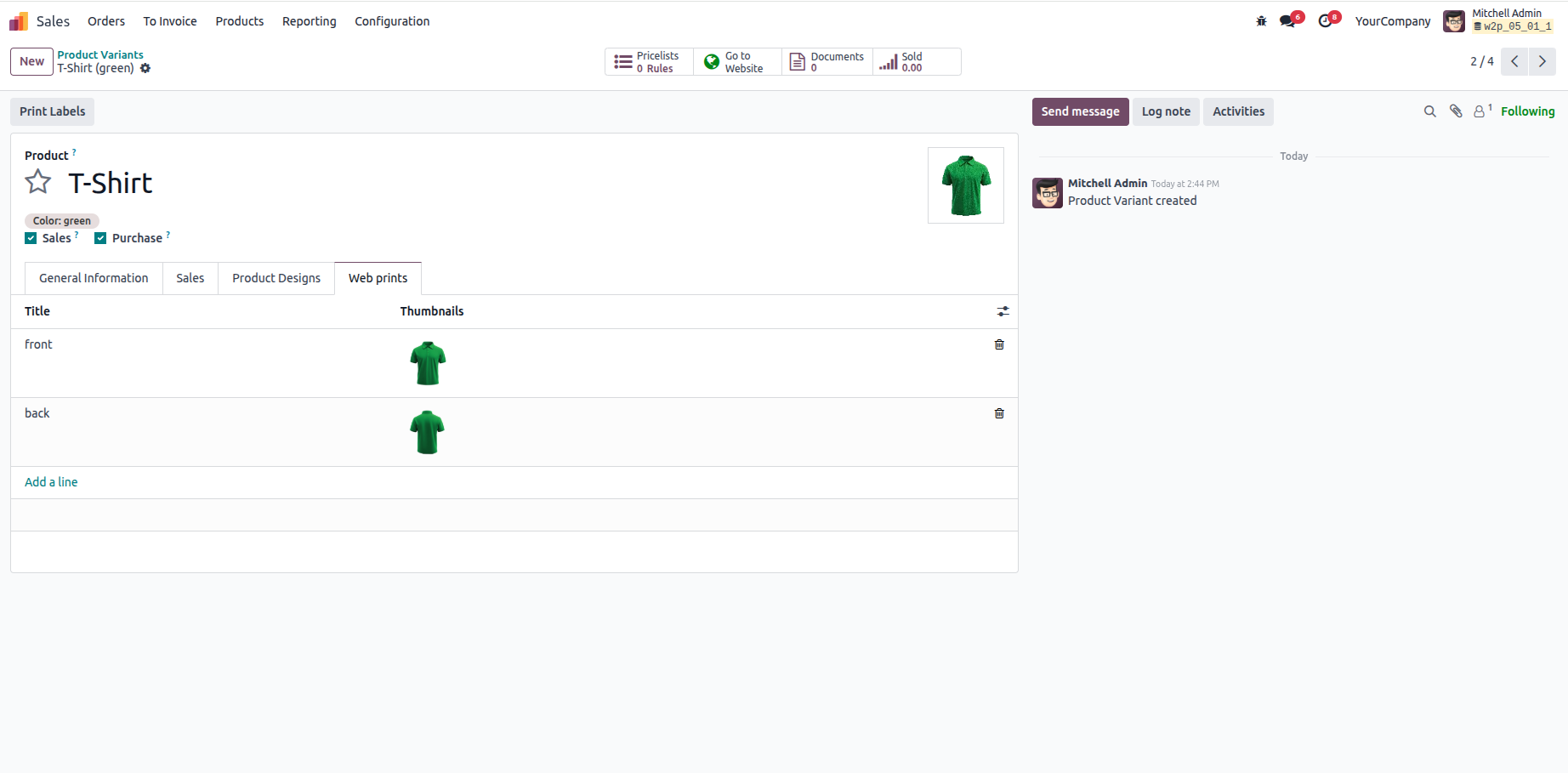
- 04Admin
Configure variants + pricing rules
Per-variant pricing, quantity tiers, and personalization surcharges (embroidery, foil, etc.) — all configured per product family, no code.
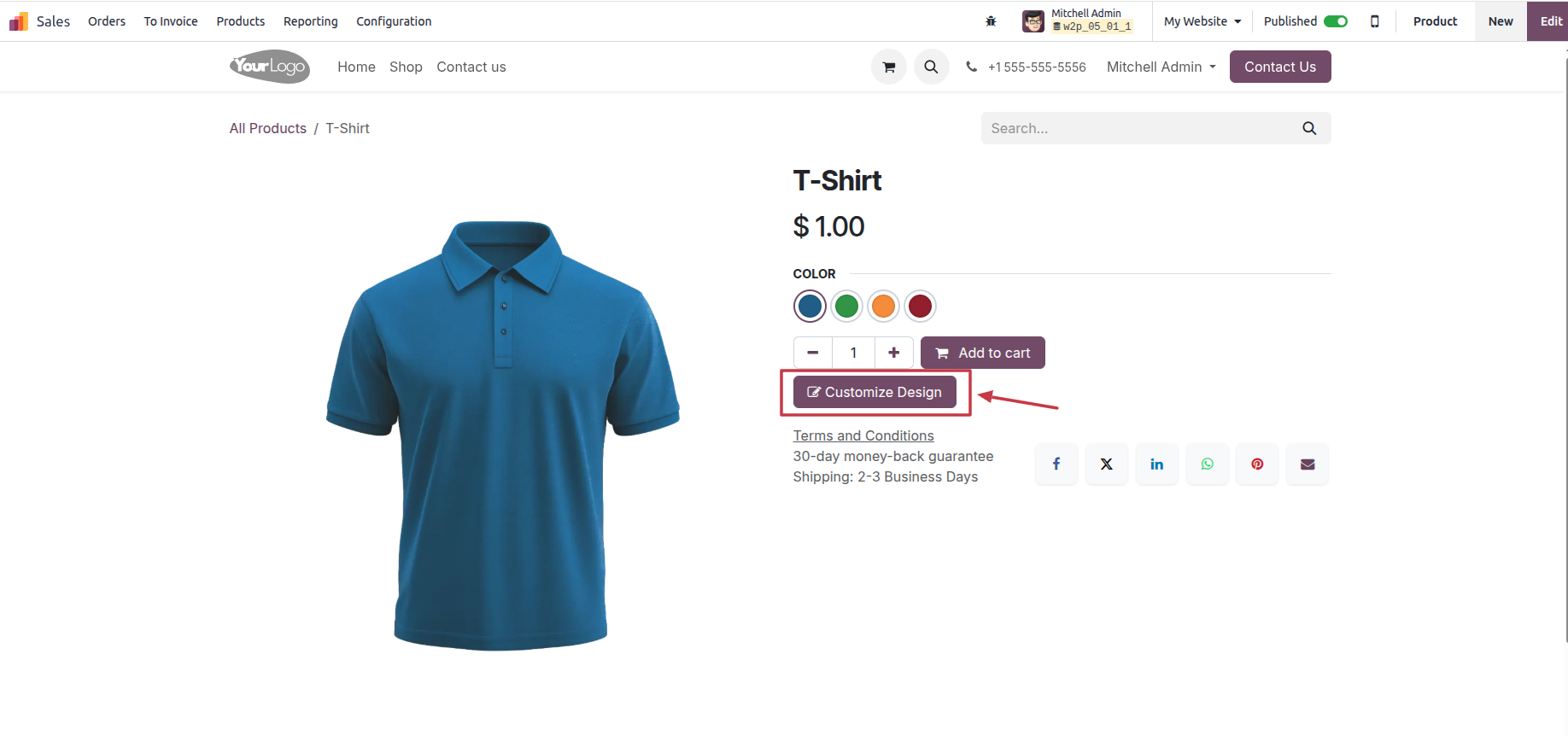
- 05Customer
Customer hits the product page
Standard product view with a prominent "Customize Design" CTA. Same domain, same theme, same checkout.
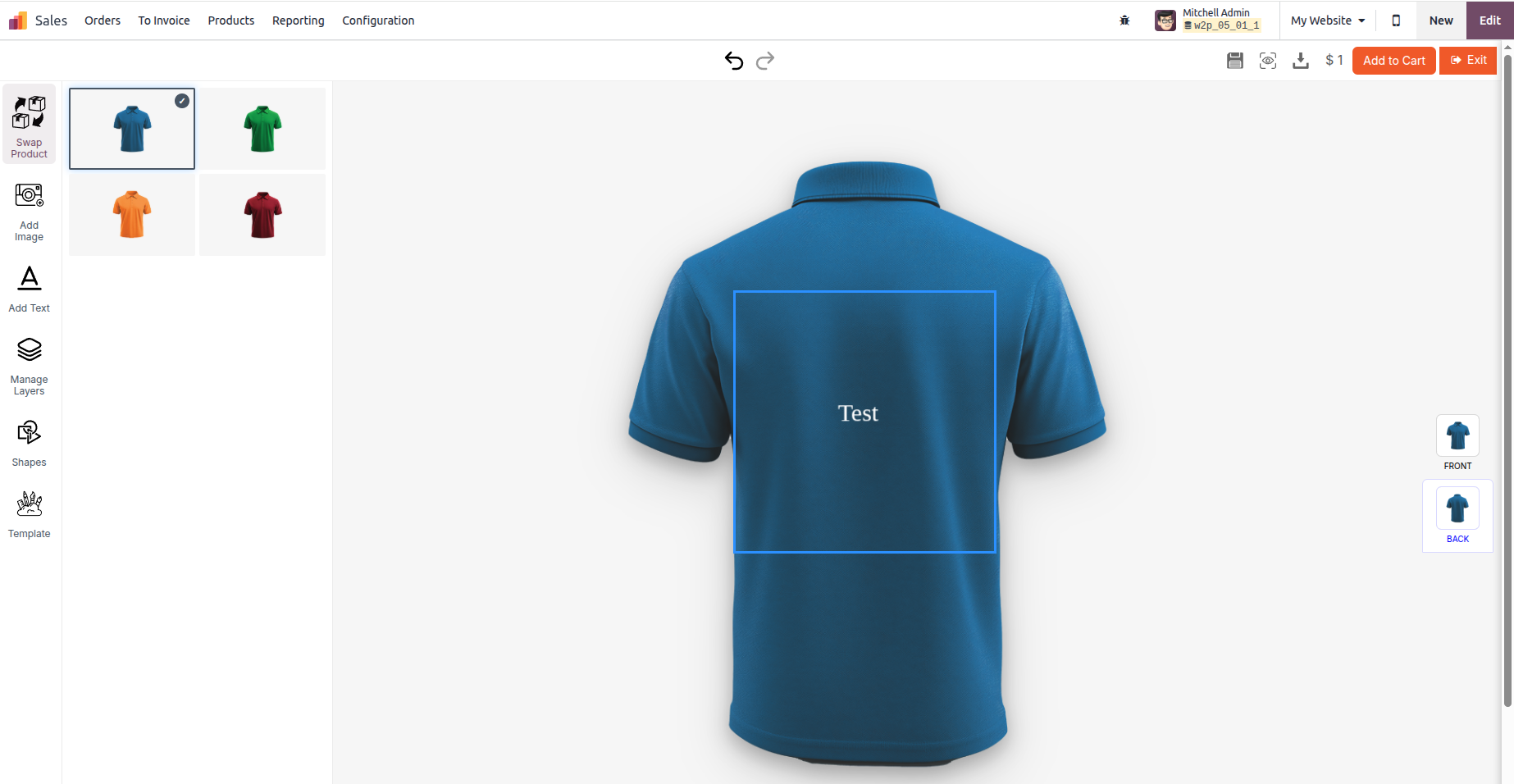
- 06Customer
In-browser designer opens
Variant switcher on the left, design tools (image, text, layers, shapes, templates), live preview center, front/back toggle on the right.
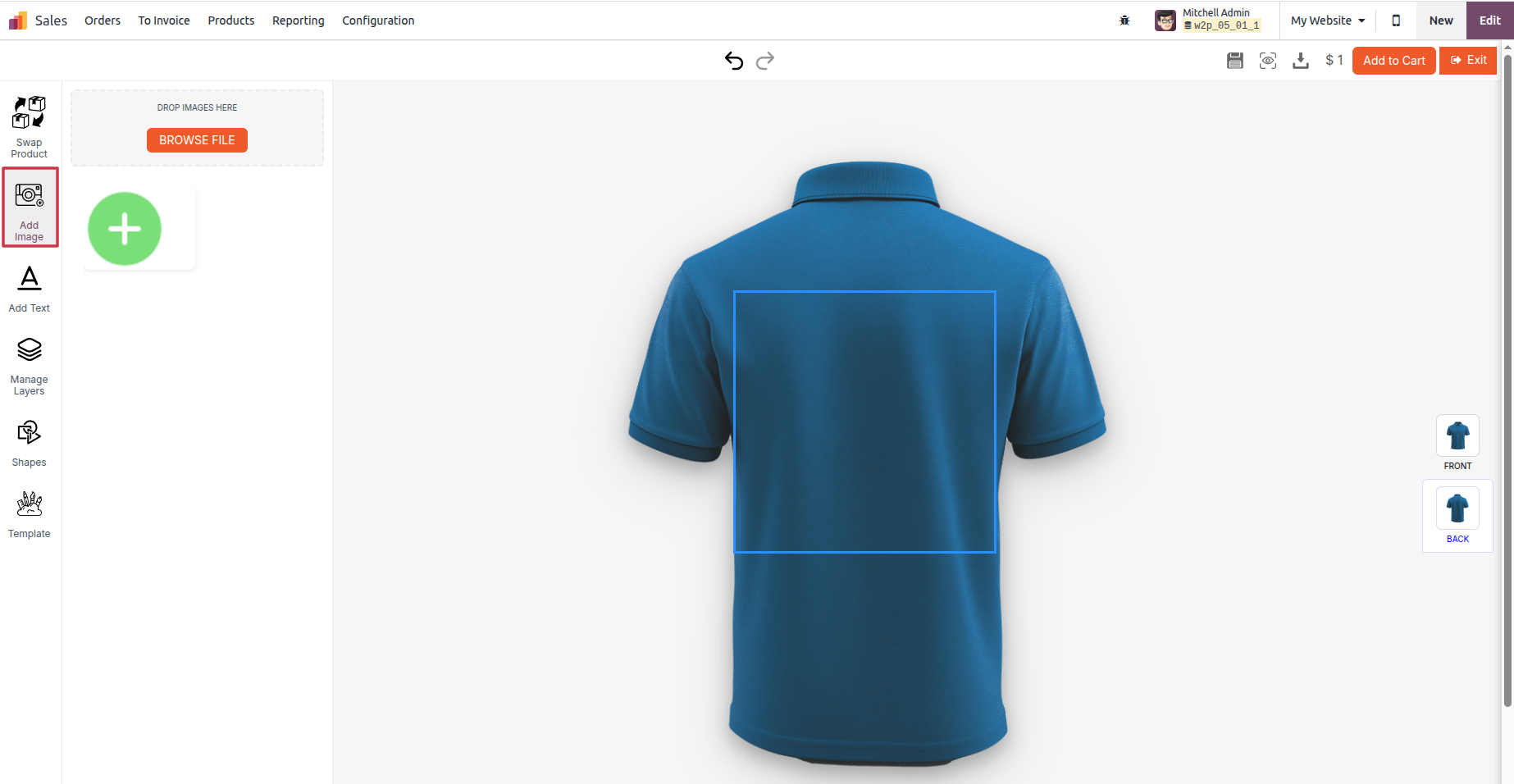
- 07Customer
Upload a design or pick a template
Drag-and-drop PNG, JPG, SVG, or PDF. Preflight runs on upload and flags issues before checkout — resolution too low, color mode wrong, embedded fonts missing.
- 08Customer
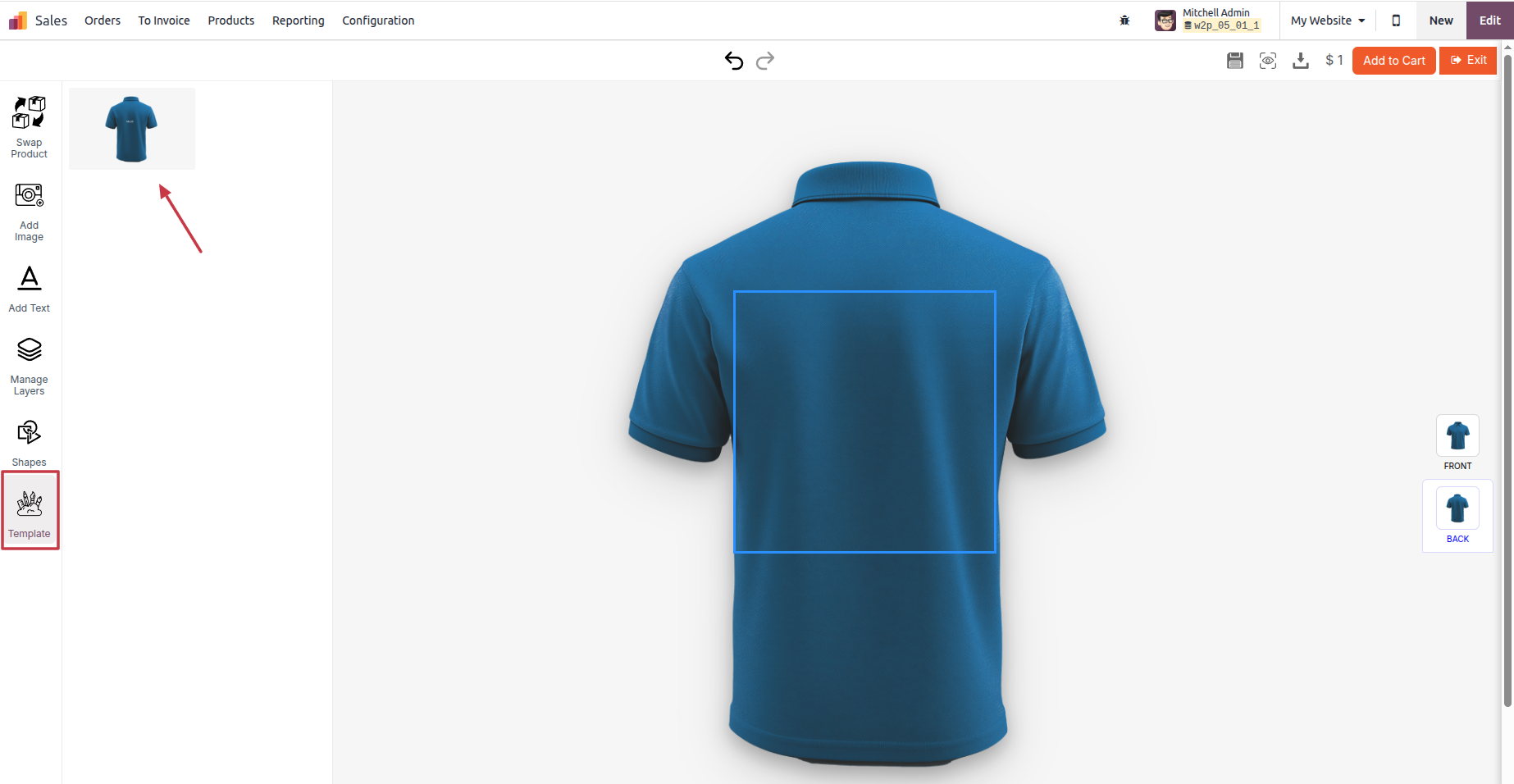
Live preview as they design
Every change renders instantly on the wrapped product. Text kerning, color, scale, rotation, layer ordering — real time at 60fps, mobile included.
- 09Customer
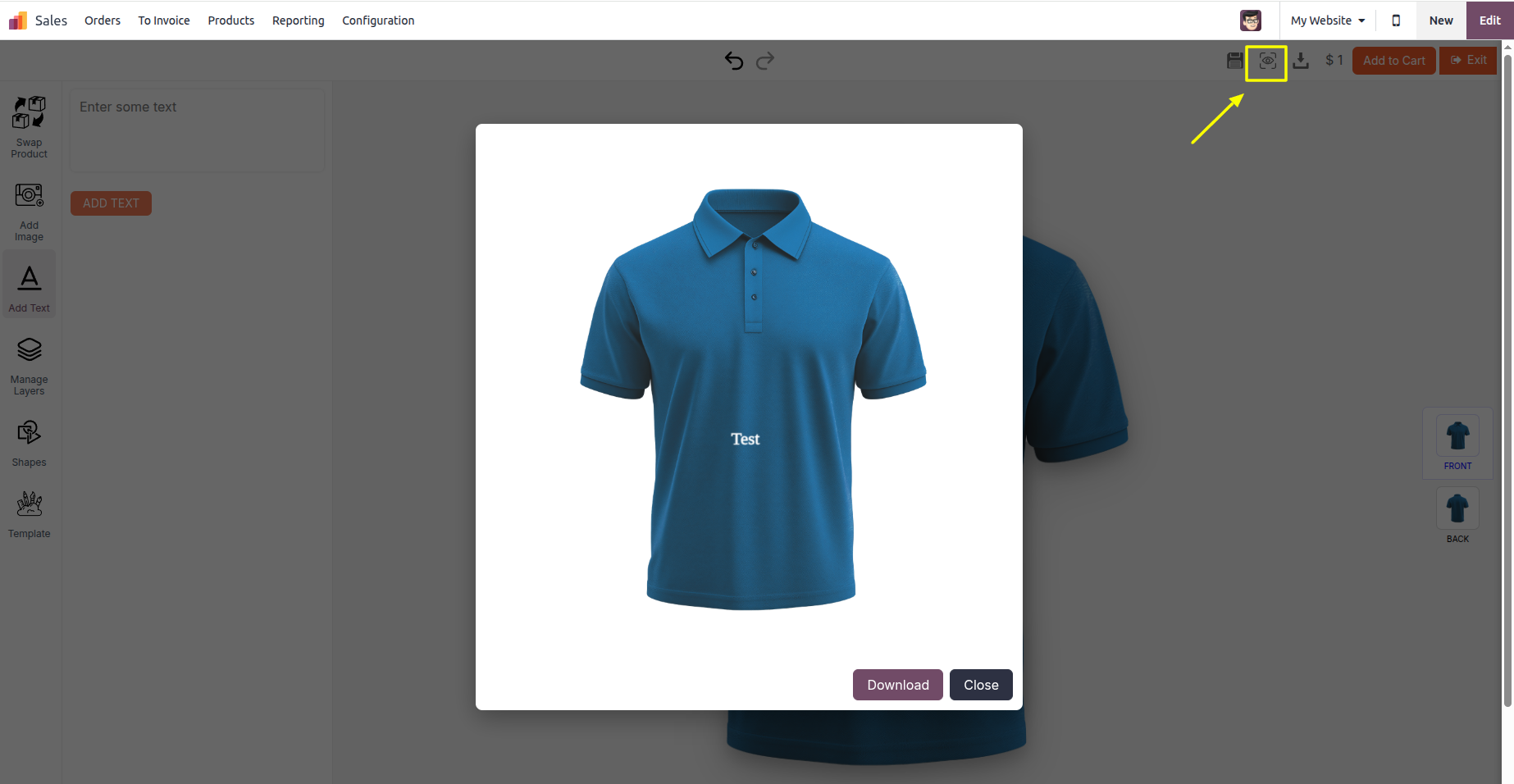
Final review + add to cart
Customer sees the wrapped 3D preview, downloads a proof PDF, and clicks Add to Cart. Saved design attaches automatically.
- 10Admin
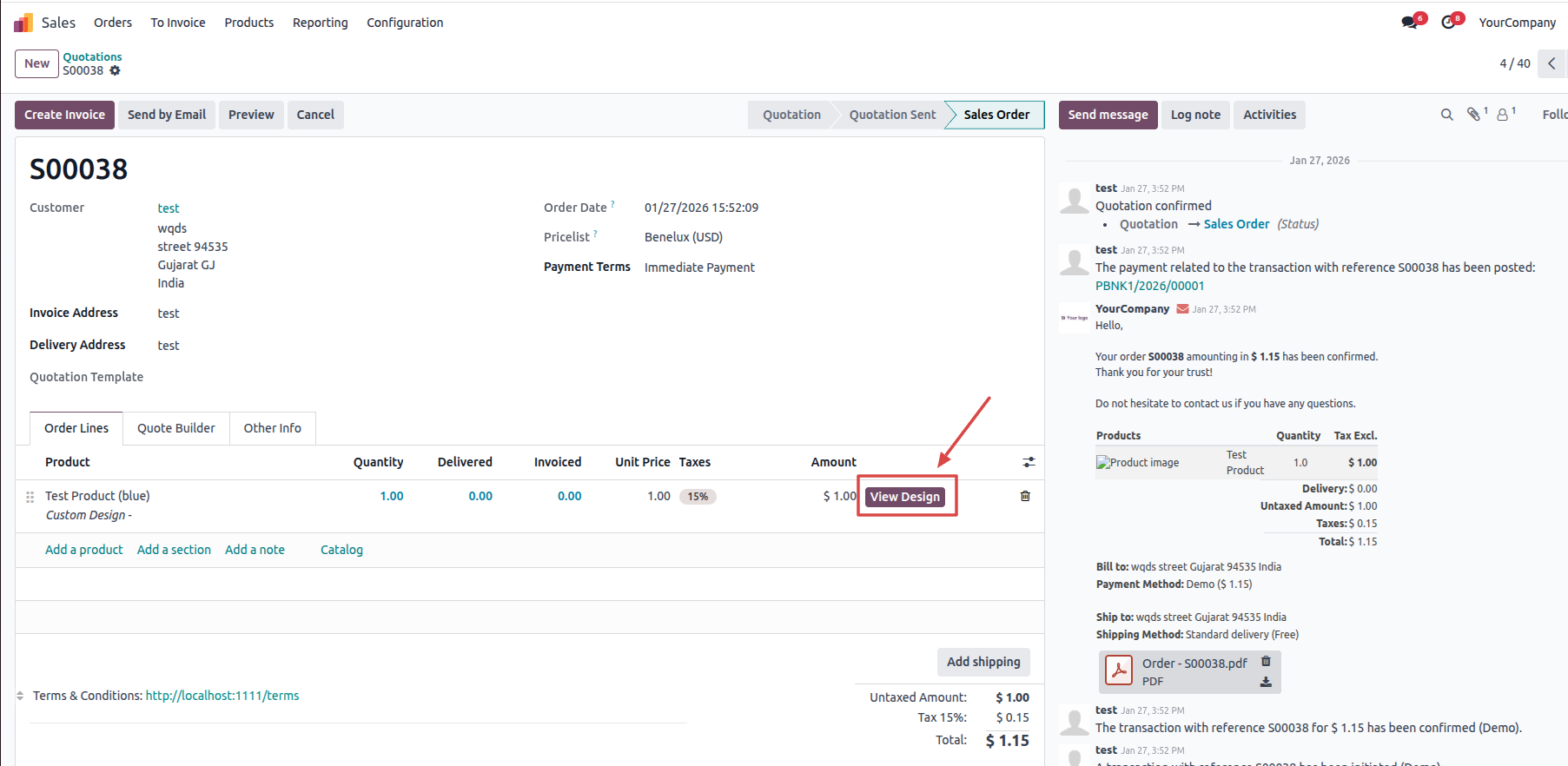
Order arrives with print-ready file
Every personalized line item carries a "View Design" link to the print-ready PDF — bleed, embedded fonts, ICC color profile, ready for press.
Inside the designer
What your customers will use.
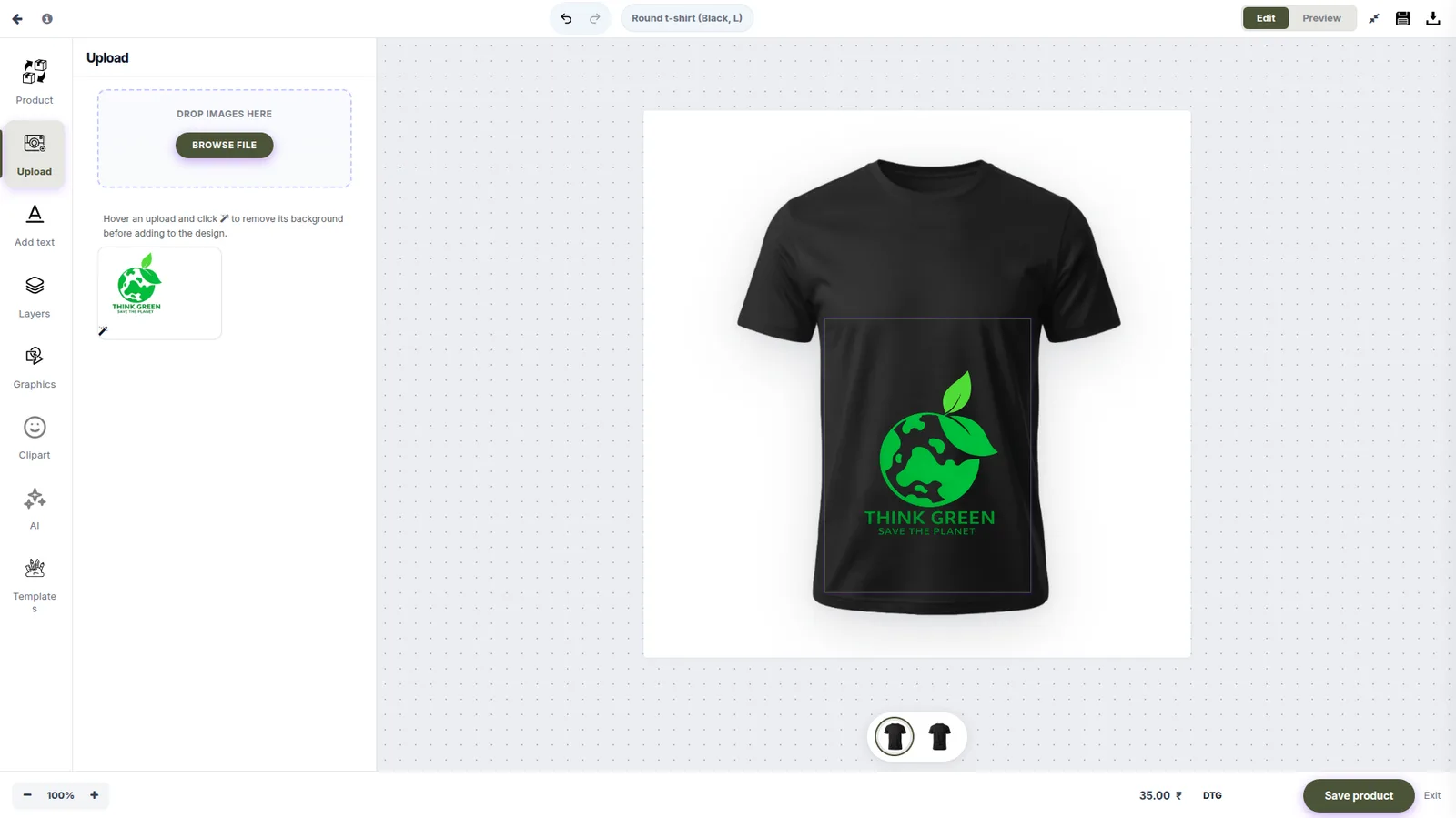
Real screenshots from the live designer — upload, AI generation, garment-accurate preview, and 3D mockup.
Upload
Bring your own artwork
Logos, brand assets, photos, marketing graphics. PNG, JPG, SVG. Instant preview on the product canvas — drag to position, scale, rotate.
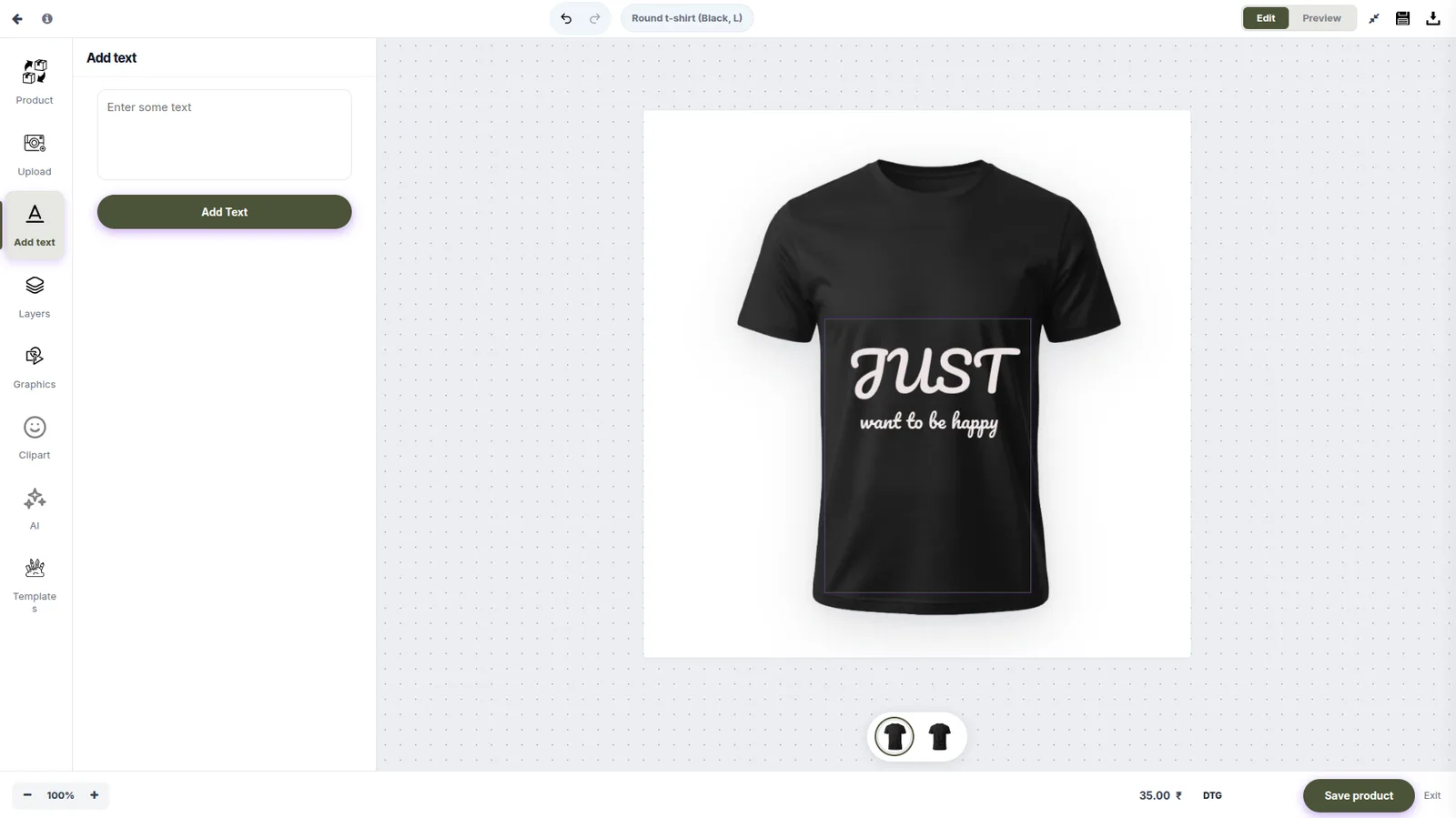
Text
Add and style text
Web-safe fonts, custom fonts on Enterprise, brand-kit typography rules. Real-time preview as the customer types and styles each line.
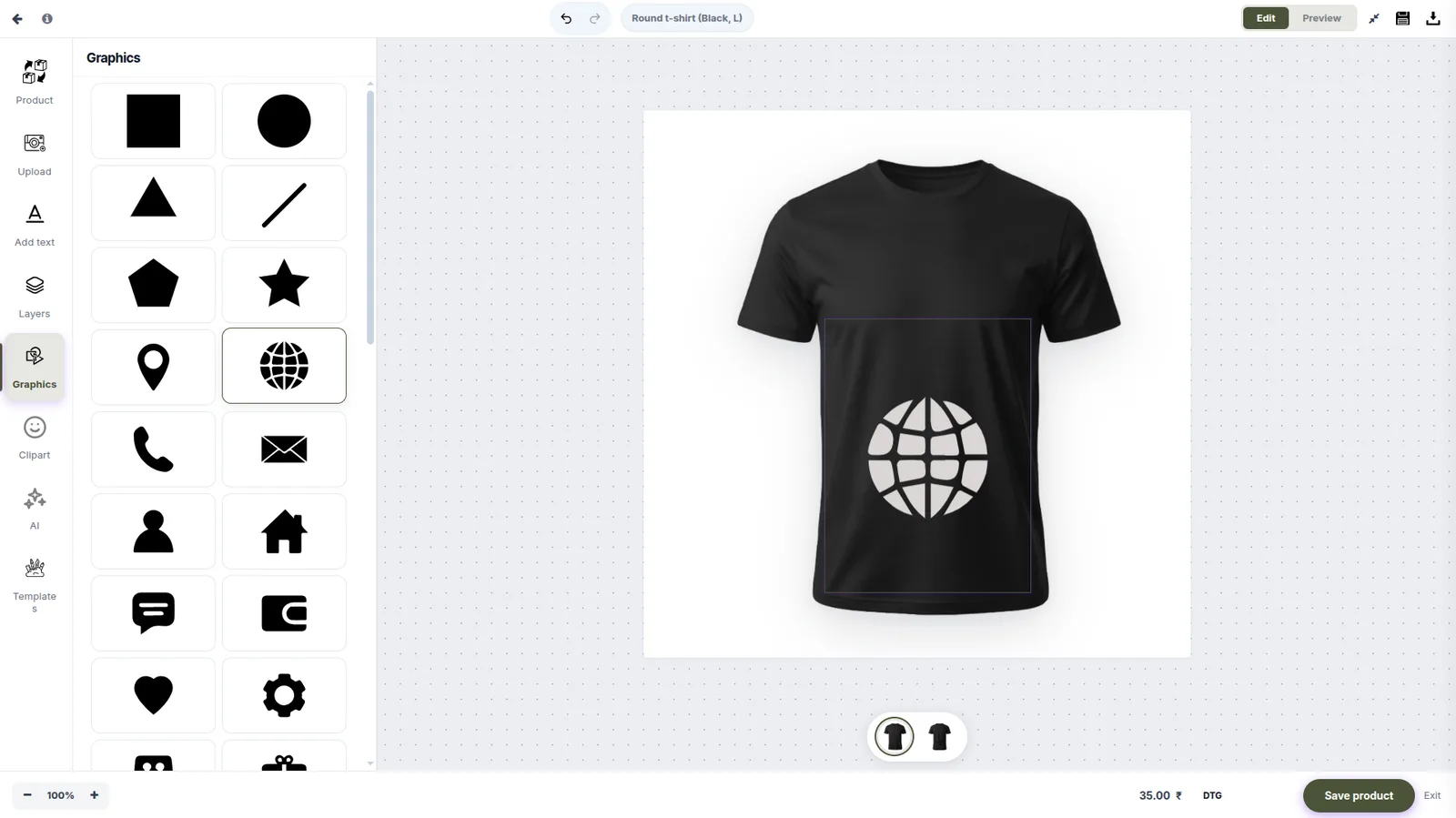
Graphics
Built-in shape library
Shapes, icons, and symbols. Add one with a click, then recolour it, resize it, and mix it with art the buyer uploads.
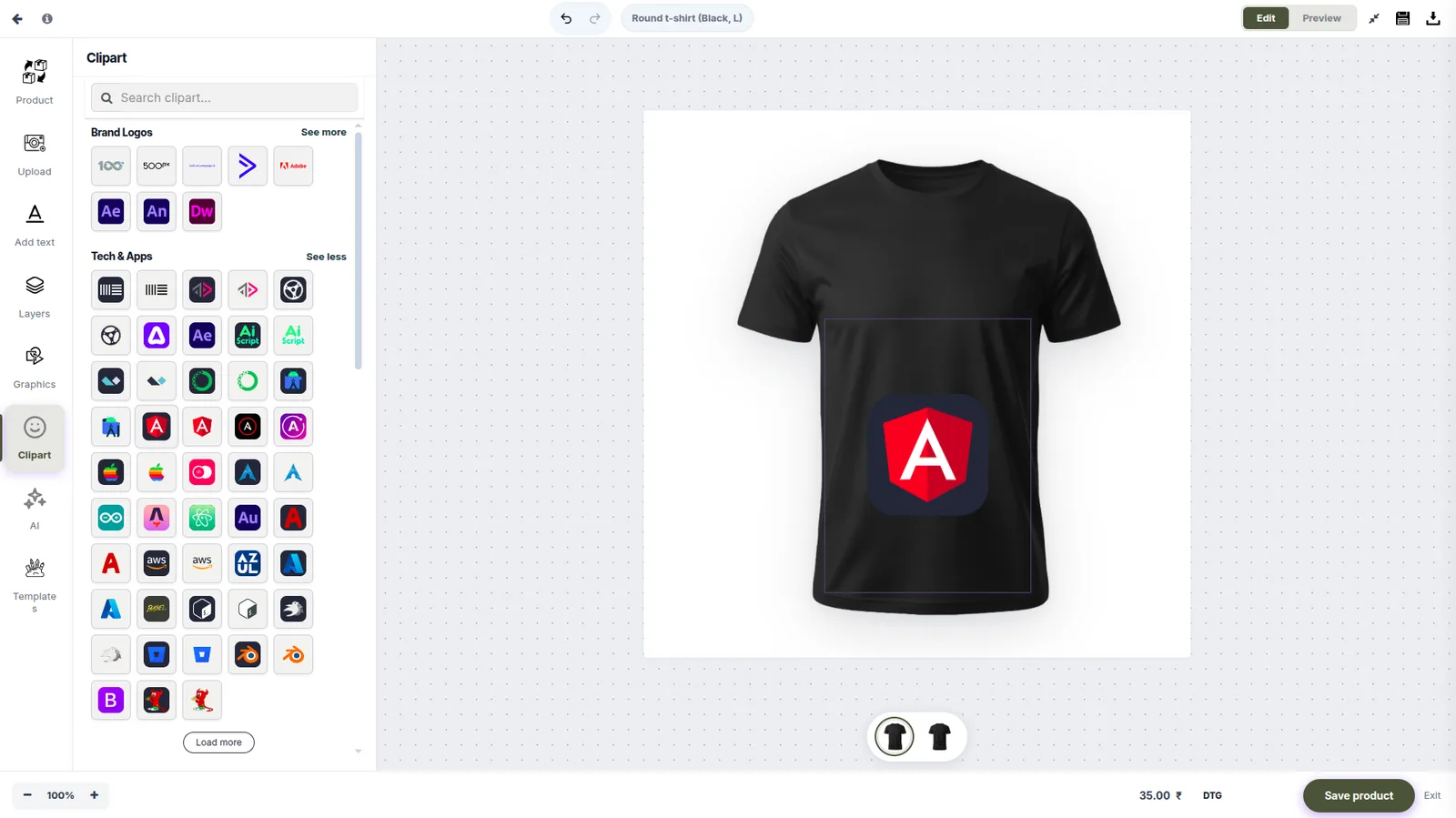
Clipart
Curated clipart
A brand-safe clipart library: tech, sports, music, food, travel, and more. Search it, browse by type, and every file is clean vector art.
Features
Everything in PrintIntegrator for Odoo.
Online design studio
Browser-native editor for layouts, text, colors, uploads, and proof previews — embedded directly into your storefront product pages.
Order & job management
Orders flow into manufacturing jobs with print-ready files attached. Job status surfaces back to the customer automatically.
Dynamic pricing calculator
Quantity tiers, substrate multipliers, finishing line items, rush surcharges, and per-customer rate cards — without writing custom code.
Multi-vendor print network
Route jobs to multiple production partners based on rules — geography, capacity, capability, cost. For broker, marketplace, and multi-region operations.
Print-ready PDF output
PDF/X-1a or PDF/X-4 output with proper bleed, embedded fonts, ICC profiles, and CMYK conversion. What lands in your prepress is what the press needs.
Admin dashboard
Orders, jobs, customers, products, templates, and reports — all in one operator-friendly interface.
Platform-specific FAQ
Common questions on Odoo
Which Odoo version does it support?
Odoo 16, 17, and 18 — Community and Enterprise editions. We're an Odoo Gold Partner, so we track the official release cycle. We deprecate support for the oldest supported version 12 months after a new major release ships.
Do I need Odoo eCommerce module?
Yes — PrintIntegrator for Odoo extends the eCommerce module rather than replacing it. You'll need Odoo Website + eCommerce installed. The PrintIntegrator install handles the rest.
If you already run Odoo for ERP without eCommerce, we'll install the eCommerce module as part of the deployment.
Will it work with my existing Odoo customizations?
Almost certainly. We install PrintIntegrator as a clean module that hooks into standard Odoo events — order creation, invoice posting, stock movements. We don't patch core. During scoping we review your existing customizations and flag any conflicts.
Does it integrate with Odoo MRP for print production?
Yes. Each personalized order generates a production order in Odoo MRP with the print-ready file attached. Work centers, bill of materials, and routing all behave like a standard MRP flow — your operators see jobs in the same kanban they already use.
Does it support Odoo multi-company?
Yes. Each storefront can map to a different Odoo company, and revenue/cost accounting follows the standard Odoo multi-company rules. Inter-company transfers between print production sites are supported on the Enterprise tier.
“Print Integrator has been a great software for us while using web2print. The team was very professional, and they helped me set up everything. I have allowed the designer tool and the back-end ERP flow integrated with Odoo. It's a perfect solution for people who have printers and want to grow their online business.”
Mouaz
Co-Founder · Tees Graphy
Try PrintIntegrator for Odoo on your real storefront.
15-minute walkthrough on Odoo. We come prepared with your stack.