Your products, their imagination
A drag-and-drop design studio that lives inside your Shopify, WooCommerce or Odoo store. Try it right here — no signup.
This is a tiny taste. The full studio adds image upload, AI art generation, curved text, cliparts, variable data and 3D preview.
The Personalizer is for you if…
- — You sell customizable products in an online store
- — Your customers should design in the browser, not by email
- — You need print-ready files, not screenshots of ideas
- — You're tired of customizer apps taking a cut per order
Looking to run production too?
The Personalizer handles the storefront. If you also need quoting, job tickets, inventory and invoicing for your own print operation, that's our second product — the Print ERP. They connect natively: designed orders arrive on the shop floor print-ready.
Explore the Print ERPInside the design studio
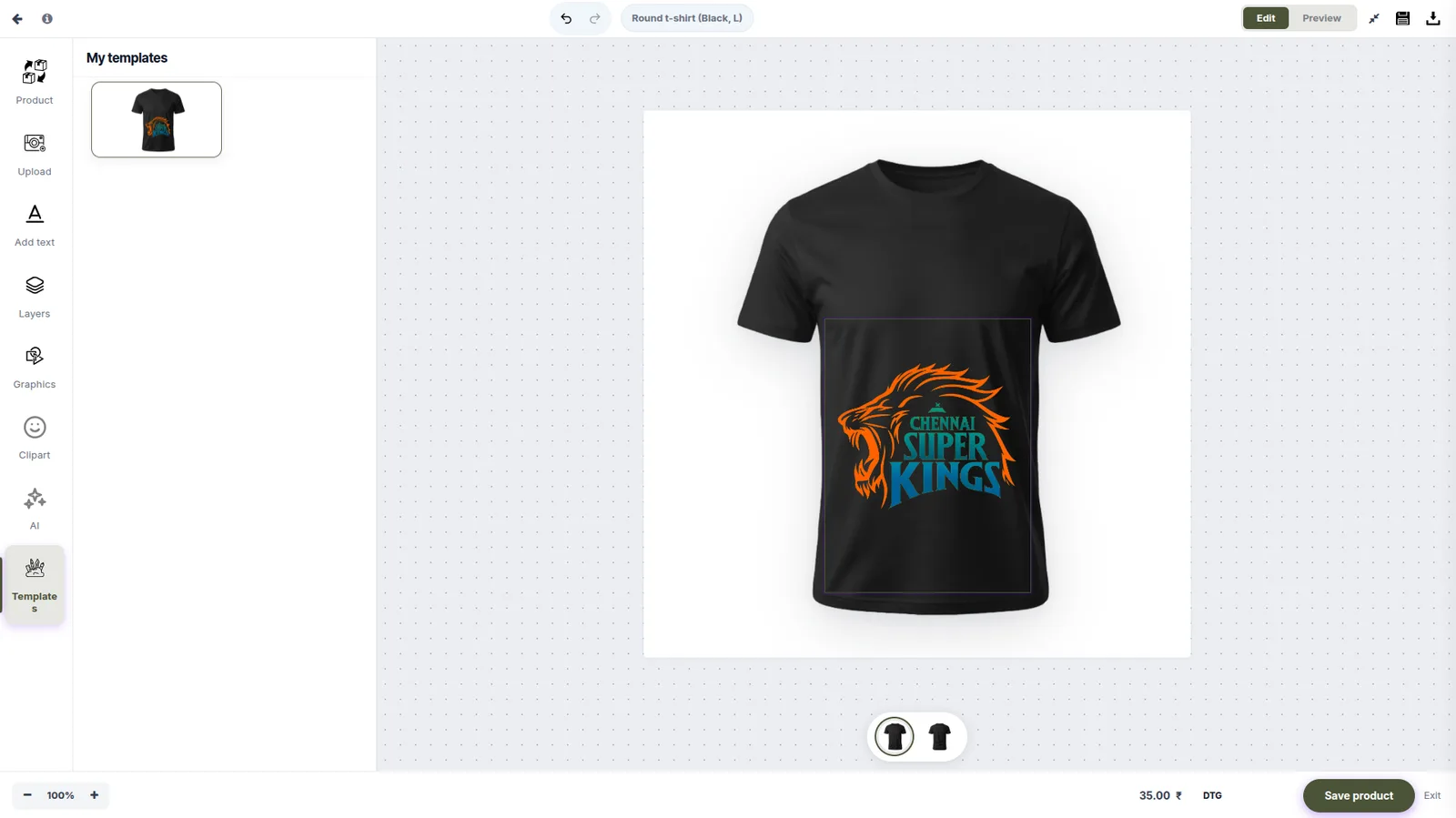
Real screenshots from the live product — click through what your customers will use.
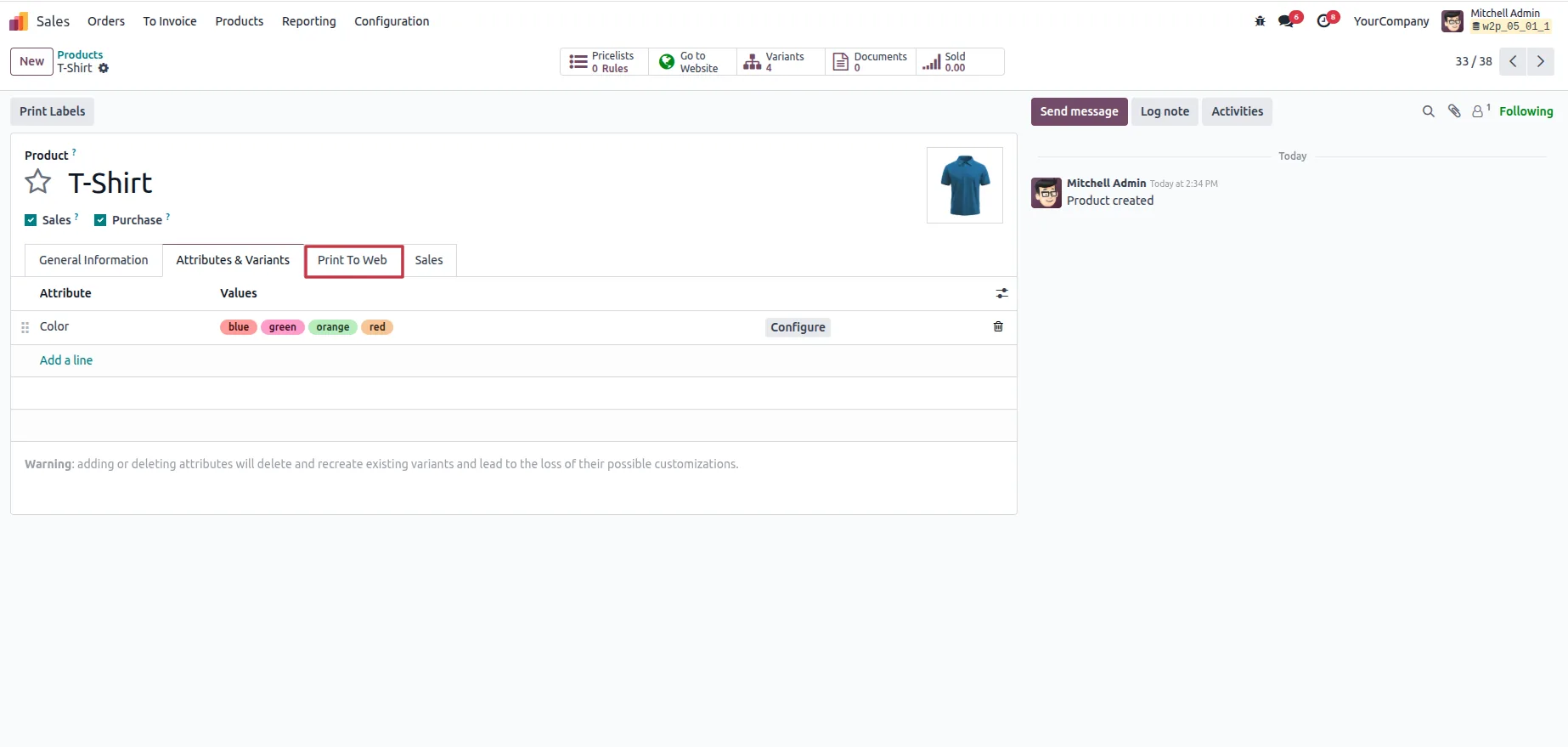
Setup to sale in 10 steps
From enabling personalization on a product to the print-ready file landing in your order queue.
Everything a modern customizer needs. Nothing bolted on.
Drag & drop studio
Text, images, cliparts and shapes — customers design on the exact product they're buying, on any device.
AI image generation
Shoppers type a prompt and get unique artwork placed straight onto the product. Background removal built in.
Real-time 3D preview
Products rotate in true 3D so buyers see every angle before checkout — fewer refunds, more confidence.
Print-ready PDF output
Every order exports a production-grade PDF with bleed, crop marks and CMYK — no manual prepress.
Curved text & variable data
Arc text, monograms, name lists for team jerseys — the hard personalization cases handled out of the box.
Mockup generator
Auto-generate marketing mockups of every design for product pages, ads and social.
Native on the platforms you already use
One-click install. Your theme, your checkout, your customer data — untouched.
What most tools give, and what we give
Compared by category rather than by brand. Most personalization tools bill against your order volume; ours does not, and the back office is on the same stack.
| Most tools | PrintIntegrator | |
|---|---|---|
| Pricing model | Tiered subscriptions that step up with order volume, or quote-based licensing you need a sales call to price | Flat $29/month for the Personalizer and $500/month for the ERP, published on the pricing page |
| Per-order fees | A per-order, per-product or percentage commission on most plans, so software cost tracks revenue | None, on any plan — the bill is the same at 50 orders and 50,000 |
| Cost as you grow | Rises with every order you ship | Fixed. Growth changes your margin, not your software bill |
| Design studio | Drag-and-drop editors, often with 3D or AR preview on higher tiers | Drag-and-drop with 3D preview, curved text, variable data and AI image generation included |
| Print-ready output | Image or PDF export, with prepress settings varying by product | Print-ready PDF with bleed, crop marks and CMYK conversion, plus preflight and DPI checks at upload |
| Back office | Personalization only — quoting, production, inventory and invoicing stay in separate systems | A full print ERP is available on the same stack: quoting, CRM, artwork approval, MRP, inventory, shipping and double-entry accounting |
| Where orders land | A file to download, then re-keyed into whatever runs your shop floor | Orders arrive print-ready in the ERP with no re-typing between store and production |
| Storefront | Either a plugin on your existing cart, or a proprietary storefront you migrate onto | Installs natively on the Shopify, WooCommerce or Odoo store you already run |
| Hosting | Usually cloud-only, on the vendor's infrastructure | Managed cloud, or self-hosted with Docker on your own servers |
Comparisons describe how web-to-print and personalization tools commonly work as a category. Terms vary by vendor and change often — check the current details of any product you are evaluating.
Questions about the design studio
The things print businesses ask before they install it.
Will it work with my existing theme?
Yes. The design studio opens as an overlay on your current product page rather than replacing it, so there is no theme surgery and no change to your checkout. It works with page builders and custom themes alike.
Can customers use it on a phone?
Yes. The designer has a touch-first layout for phones and tablets, so a customer can personalise and preview a product on mobile without being pushed to desktop.
Can I stop customers breaking the layout?
Yes. Locked templates let you fix the typography, placement and brand elements while the customer edits only what you allow — their name, their photo, their message. A starter template also converts better than an empty canvas.
What happens when a customer uploads a bad file?
Preflight runs at upload, not at prepress. Resolution, colour mode, bleed and font embedding are checked, and the customer sees the warning and fixes it — or accepts an inline AI upscale — before the order exists.
Can it handle bulk and variable-data orders?
Yes. Variable Data Printing takes a CSV or Excel file and generates one personalised design per row, which suits business cards, name badges and mail-merge runs. Bulk CSV orders preview up to 50 rows before submission.
Where does the print-ready file end up?
Each order carries its print-ready PDF and a design preview. You can download it from the order screen, pull it through the REST API, or let it flow straight into the Print ERP so nothing is re-typed between the store and the shop floor.