The product personalizer Shopify merchants keep after the trial
An embedded design studio that lives inside your Shopify storefront and checkout — with flat $29/month pricing instead of the per-product and per-order fees marketplace customizer apps charge. Part of our web-to-print software.
Last updated
Live on Shopify in four steps
- 1We set the design studio up on your Shopify store
- 2Pick which products are personalizable and define print areas
- 3Publish — the Customize button appears on your product pages
- 4Orders arrive with print-ready files attached
No per-product fees
Enable personalization on 10 or 10,000 products — the price is the same flat $29/month.
Your theme, untouched
The studio opens as an overlay on your existing product page. No theme surgery, no checkout changes.
Files in your orders
Each Shopify order carries its print-ready PDF and design preview — download from the order screen or pull via API.
What is web-to-print on Shopify?
Web-to-print (also written web2print, webtoprint or W2P) on Shopify means a customer designs or personalizes a product on your store and your team receives a file the press can use. Shopify handles the catalog, cart, payment and fulfillment queue; the design studio handles the part Shopify does not: a browser editor, a live preview and a print-ready PDF. You keep selling on Shopify, and the design happens inside that flow rather than on a separate site.
How does the design studio open on a Shopify product page?
The product page carries a Customize button. The customer clicks it, the studio opens over the page they are already on, and they add text, upload a photo or start from a template you provide. When they finish, the design is attached to the line item and they carry on to your normal Shopify cart and checkout. Nothing redirects to a vendor subdomain and nothing about the purchase flow you already optimized is replaced.
Which Shopify themes does it work with?
Any Shopify Online Store 2.0 theme, with no code changes to the theme itself. Setup adds a single block to the product template you choose; nothing else in the theme changes. If you want the studio on only some products, point it at a specific product template (for example one named "personalized") and leave the default template alone. A theme older than Online Store 2.0 is the one case the tutorial flags as a blocker.
How do you set up a personalizable product in Shopify?
In the Shopify admin, open the product and find the PrintIntegrator panel on the product page. Switch on "Enable personalization", set the print area dimensions, upload a placeholder template if you have one, and save. A single-variant product such as a mug or a business card is the cleanest first test. Our Shopify install tutorial walks through the whole sequence, including a test order, and there is no limit on how many products you enable.
What lands in your Shopify order?
Each order carries the personalization details and a print-ready PDF on the order line item, plus a design preview. Your fulfillment team opens the order in Shopify and the artwork is already there, with the bleed, embedded fonts and CMYK profile you configured. To send the file onward, set up the fulfillment connection in the PrintIntegrator settings: it can feed an in-house press, ShipStation or a fulfillment partner, and the REST API and webhooks cover anything custom. With the Print ERP, the same order arrives in production with the job ticket already filled in.
What access does it ask for on your Shopify store?
During setup you approve access to products, orders and theme files. It does not request customer payment information, and checkout stays Shopify's own, so your payment provider and shipping settings are untouched. The app is not listed on the public Shopify App Store, so there is no one-click install: we set it up on your store with you.
Why pricing matters more than features on Shopify
Most Shopify customizer apps bill per product, per order, or as a percentage of what you sell, so the app gets more expensive exactly as the store starts working. This is a flat $29 a month at any volume: unlimited products, unlimited designs, unlimited orders, and no commission. At 2,000 personalized orders a month the difference is usually larger than every other line in the stack. The $500/month Print ERP includes the Personalizer, so there is nothing extra to add if you later move your back office onto it.
The studio your Shopify customers will use
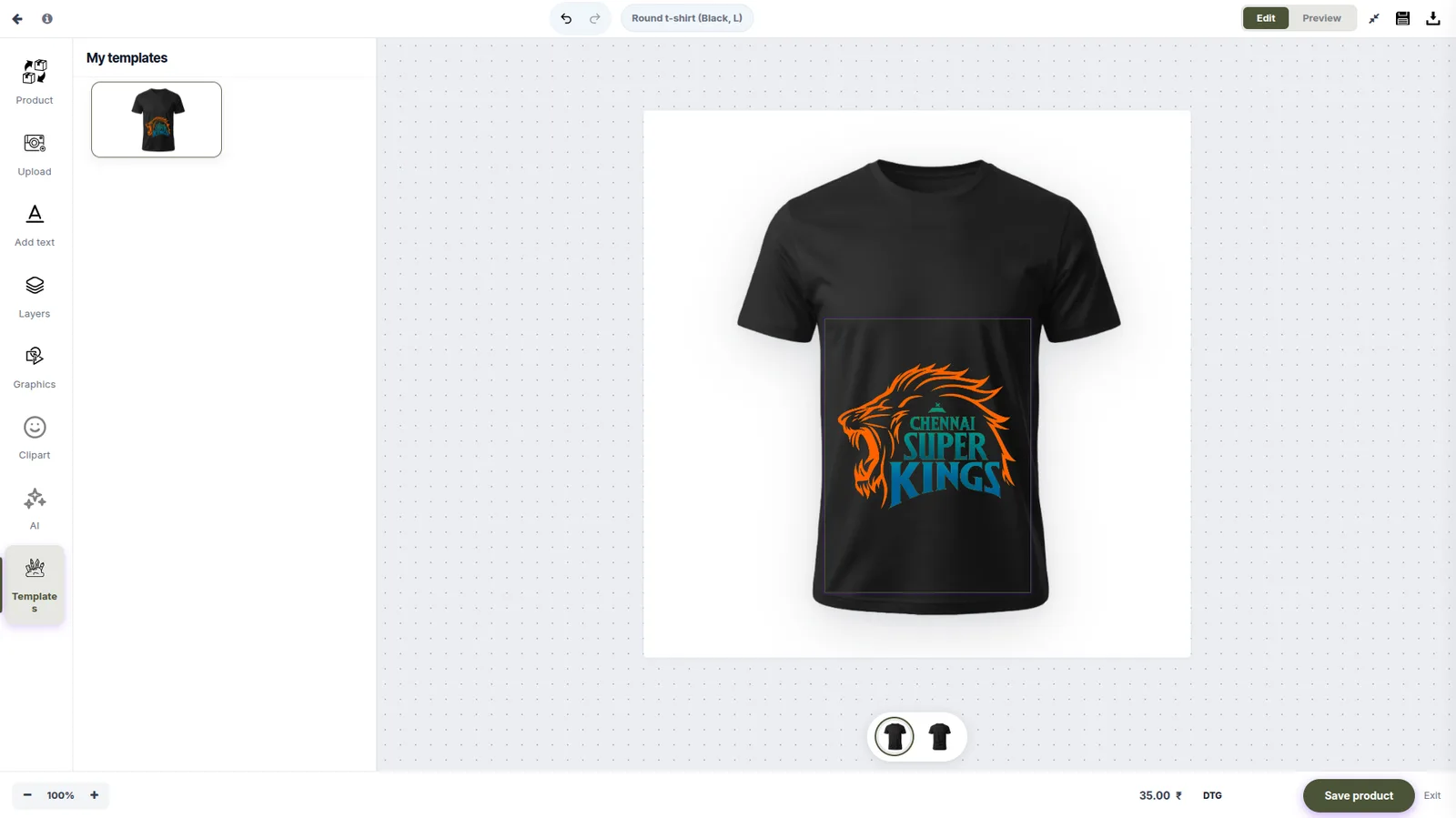
Shopify FAQ
Does it work with my Shopify theme?
Yes — the customizer launches from a button embedded on the product page and works with any Online Store 2.0 theme without code changes.
Are there per-order or per-product charges?
No. PrintIntegrator charges a flat $29/month for unlimited products, designs and orders — there are no usage-based fees.
Can customers design on a phone?
Yes. The designer is touch-first, so a customer can upload a photo, place text and preview the product on mobile rather than being pushed to desktop.
Can I lock the layout so customers cannot break it?
Yes. Locked templates fix the typography, placement and brand elements while the customer edits only what you allow. A starter template also converts better than an empty canvas.
Where do the print files go?
Print-ready files attach to the Shopify order and are also available in the PrintIntegrator dashboard and via REST API or webhooks.
Is there a Shopify web-to-print app on the Shopify App Store?
Not today. PrintIntegrator is not listed on the public Shopify App Store, so there is no one-click install. Get in touch and we set the design studio up on your store; the Shopify install tutorial describes what that involves.
How do I add web-to-print to my Shopify store?
We install the studio on your store and add one block to your product template. You then enable personalization on each product you want, set its print area and save. The Customize button appears on those product pages and orders arrive with print-ready files attached.
What access does it need on my Shopify store?
Access to products, orders and theme files, which you approve during setup. It does not request customer payment information, and your checkout, payment provider and shipping settings are unchanged.
Can I personalize only some of my Shopify products?
Yes. Personalization is switched on per product, and you can point the studio at a specific product template so the rest of your catalog keeps its normal page.
Do I need a newer Shopify theme?
You need an Online Store 2.0 theme. If your theme is older than that, the designer cannot be added to the product template, so upgrade the theme first.
How do print files reach my printer or fulfillment partner?
The print-ready PDF is attached to the order line item in Shopify. To route it onward, set up the fulfillment connection in the PrintIntegrator settings, for example to an in-house press, ShipStation or a fulfillment partner, or pull it through the REST API or webhooks.
Do I need the Print ERP to use this on Shopify?
No. The Product Personalizer runs on its own for $29/month. The Print ERP is a separate $500/month product for the back office, and it includes the Personalizer, so you can move to it later without paying for both.
Is web2print on Shopify the same as print on demand?
No. Web-to-print here means customers design a product and you print and ship it yourself or through your own production partner. We do not offer print-on-demand fulfillment.