A self-hosted product personalizer for WooCommerce
Full control on your own WordPress hosting: the design studio installs as a plugin, works with any theme, and follows the standard Woo order pipeline your other plugins already understand.
Live on WooCommerce in four steps
- 1Install the plugin from your WordPress dashboard
- 2Mark products as personalizable and set print areas
- 3The Customize button appears on those product pages
- 4Print-ready files attach to each WooCommerce order
Self-hosted control
Your data stays on your infrastructure. Works alongside your existing Woo plugins, payment gateways and shipping setup.
Any theme
The studio renders in an overlay, so it works with page builders and custom themes alike.
Standard order flow
Personalized items flow through the normal WooCommerce order lifecycle — statuses, emails and hooks all behave as expected.
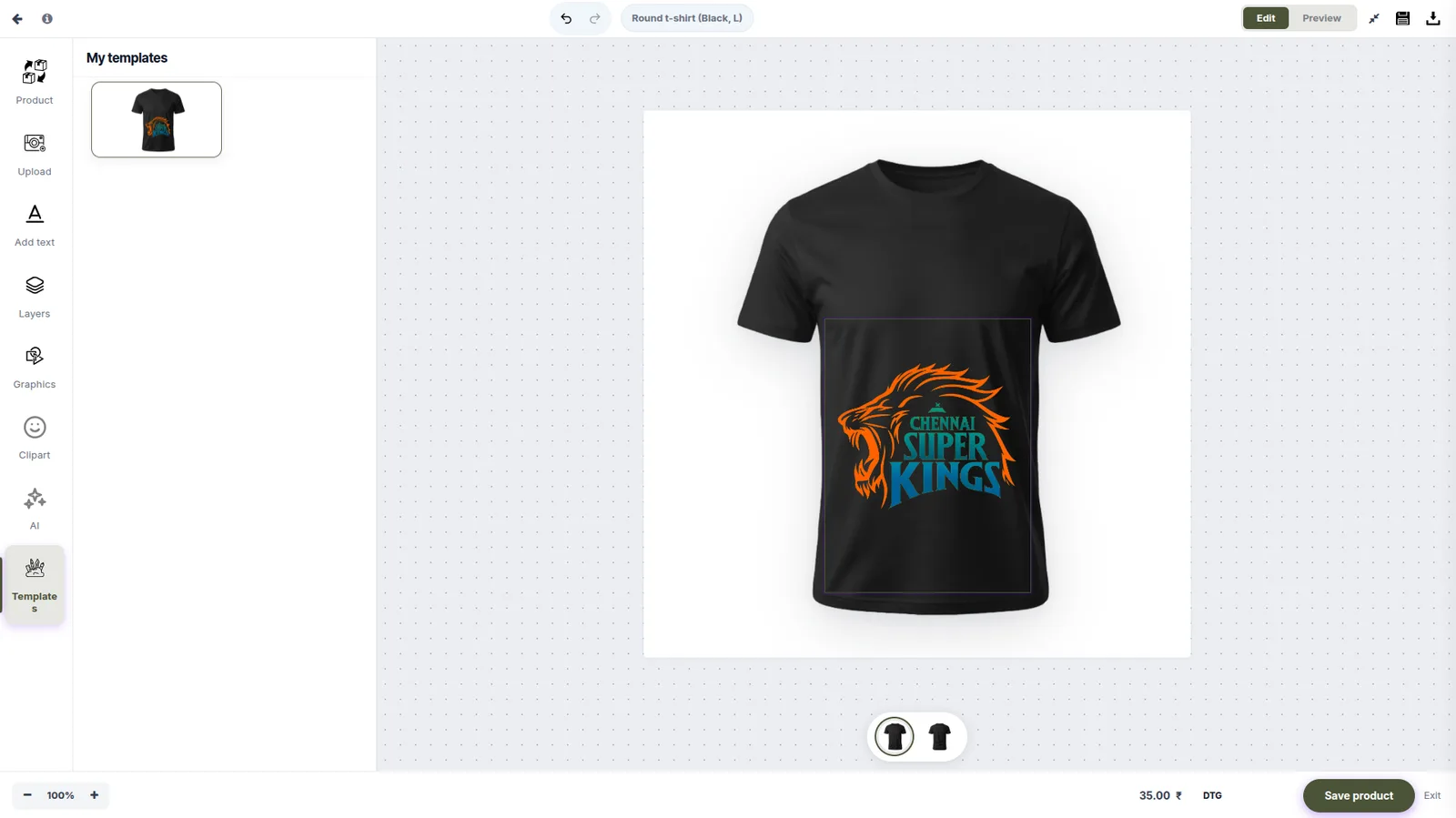
The studio your WooCommerce customers will use
WooCommerce FAQ
Does it slow down my WordPress site?
No — the design studio loads only when a customer opens it, not on every page view, so your storefront performance is unaffected.
Is it compatible with variable products?
Yes — colors, sizes and other variations each get their own preview and print-area configuration.
Can I keep everything self-hosted?
Yes — WooCommerce is our self-hosted option, and the Print ERP can also run on your own servers with Docker.